
Watch the video below and follow the step-by-step guide to effectively use this device.
1
step 1
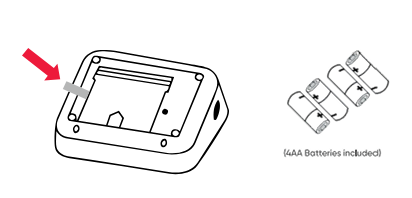
Insert the Batteries
Batteries already included. In case of replacement insert the four batteries into the back of your blood pressure monitor and connect the cuff into the port on the left side of the monitor.
2
step 2
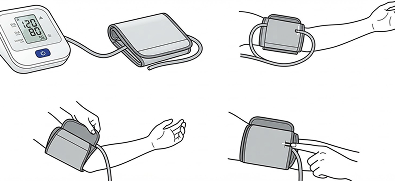
Fasten the Cuff
Sit comfortably with your left arm resting on the table in front of you and your palm facing up. Do not cross your legs. Sit quietly and take 5-6 deep breaths before taking a reading.
3
step 3
Prepare to Take Measurement
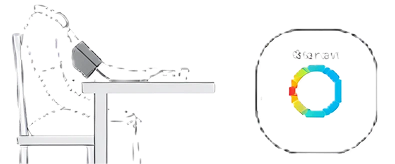
Sit comfortably with your left arm resting on the table in front of you and your palm facing up. Do not cross your legs. Sit quietly and take 5-6 deep breaths before taking a reading.
4
step 4
Cleaning
Press the "Start/Stop" button to take a measurement. Wait for the screen to turn off before removing the cuff. If the LED light ring is green, you have properly taken a measurement and it has successfully transmitted.


For patients using more than one device, the light on top of the Gateway provides a simple way to confirm that all daily readings have been completed.The circular LED light is divided into equal sections, with one section assigned to each device in use. When a device successfully sends a reading to the Gateway, its corresponding section turns green. Once every device has sent a reading for the day, the entire light will appear green.
