
Watch the video below and follow the step-by-step guide to effectively use this device.
1
step 1
Power the Scale
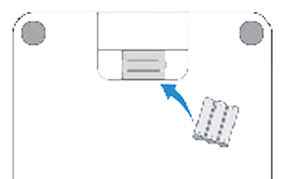
Batteries already included. In case of replacement open the battery cover on the back of the unit and install the batteries by matching the correct polarity
2
step 2
Scale Placement
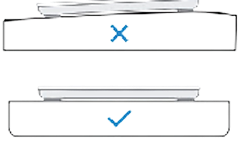
Place your scale on a flat and hard surface B. Do NOT place the scale on a carpet or soft surface
3
step 3
Step on the scale
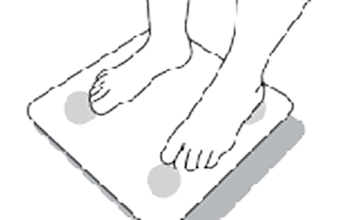
Step on the scale with clean, bare feet. Wear as little clothing as possible. Don’t lean or hold onto anything while standing on the scale.
4
step 4
Complete Measurement
Step on the scale and hold still. When your weight flashes on the screen, remain standing. Wait to step off until the screen turns off.


For patients using more than one device, the light on top of the Gateway provides a simple way to confirm that all daily readings have been completed.The circular LED light is divided into equal sections, with one section assigned to each device in use. When a device successfully sends a reading to the Gateway, its corresponding section turns green. Once every device has sent a reading for the day, the entire light will appear green.

